




How the 2026 Volkswagen Jetta Digital Cockpit Pro streamlines busy drives around Mid-Wilshire, CA
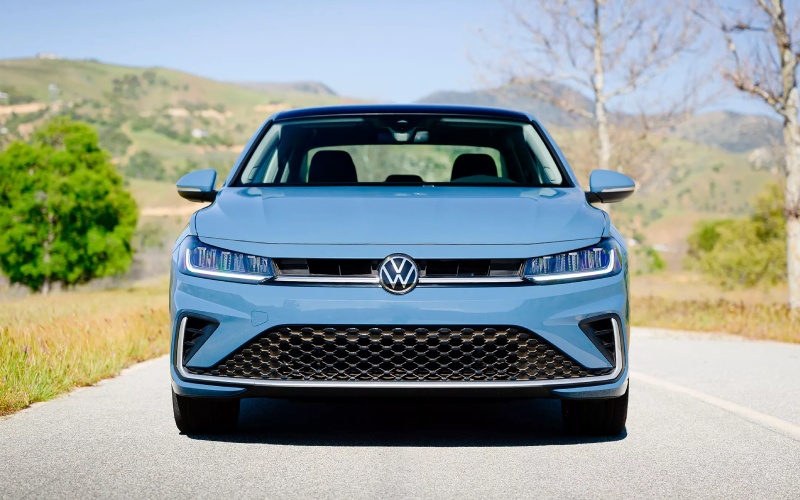
New Century Volkswagen – How the 2026 Volkswagen Jetta Digital Cockpit Pro streamlines busy drives around Mid-Wilshire, CA
The 2026 Volkswagen Jetta builds its reputation on thoughtful tech that respects your time, and nowhere is that more obvious than the available VW Digital Cockpit Pro. With a clean, 10.25-inch display, intelligent layouts, and smart prioritization of the essentials, it turns dense information into clarity you can use without distraction. Around Mid-Wilshire, CA, where every turn can introduce a new merge, bus zone, or construction zone, that kind of clarity matters.
What sets the Digital Cockpit Pro apart isn’t just the resolution or size. It’s how deftly it balances navigation data, driver-assistance cues from IQ.DRIVE®, and everyday driving needs. Instead of combing through submenus or trying to remember which tile hides your trip readout, you can configure the core display once and rely on it day after day. The 2026 Jetta’s cockpit feels purpose-built for drivers who want more signal and less noise.
Why customization reduces cognitive load
Information overload is real, especially when you’re hopping from Beverly to 6th or easing down Fairfax. The Digital Cockpit Pro lets you select what appears prominently—turn-by-turn directions, lane guidance, driver-assistance status, or audio—so you only see what you need when you need it. That means fewer glances away from the road and faster decision-making in the moments that count.
Pair this with available navigation, and the cockpit can place a simplified route overlay front and center, while the head unit manages media and phone calls. The result is a calmer, more predictable setup where you don’t have to tap three screens to find your next cue or your current speed limit data.
How it complements IQ.DRIVE®
The Jetta’s standard IQ.DRIVE® suite brings helpful features such as Travel Assist and Emergency Assist to your daily routine. With the Digital Cockpit Pro, status indicators can sit within your immediate line of sight—no hunting for small icons or toggles. When you’re using Travel Assist on a long stretch of Wilshire or the 10, the display can make it easier to confirm that the system is actively assisting. If you prefer to keep a visual on front distance and lane guidance, the layout can prioritize those elements without burying audio or navigation.
This tight integration maximizes the value you get from the safety tech you already have. It’s not just seeing more—it’s seeing smart, so you can react faster and drive more comfortably.
Everyday convenience with App-Connect® and charging
Drivers who stream, conference, and coordinate on the go will appreciate how the Digital Cockpit Pro plays nicely with wireless App-Connect® and the available wireless charging pad. Keep your smartphone in the charging tray, launch compatible apps wirelessly, and let the cockpit surface the most relevant information. It’s a tidy, cable-free flow that makes quick errands and cross-town commutes feel less cluttered.
If passengers want to work or scroll, the available in-vehicle Wi-Fi Hotspot can help keep everyone online. The cockpit’s clean presentation means you’re free to manage what matters up front while your crew stays connected in back.
Setups that fit your routine
A big part of the 2026 Jetta’s appeal is how quickly the cockpit adapts to different drivers. You might prefer a minimalist look for weekend drives around LACMA or The Grove, then switch to a data-rich view for stop-and-go traffic. The Digital Cockpit Pro supports both styles. It’s easy to favor big speed and navigation tiles one day, then flip to driver-assistance visualizations and trip data the next.
And because the Jetta’s cabin ergonomics place the screen close to the natural sightline, you don’t have to tilt down or off-axis to confirm key info. Less head motion means your eyes stay with the road where they belong.
Trims and features that pair well with Digital Cockpit Pro
While all 2026 Jetta models bring a clean, modern layout, the SEL trim turns the tech experience up a notch. Ventilated front seats with driver position memory keep you comfortable, heated 1st and 2nd row outboard seats take the chill out of early mornings, and ambient lighting sets a refined tone for night drives. Add VW Premium Audio and navigation, and your Digital Cockpit Pro becomes the centerpiece of a thoroughly upscale compact-sedan experience.
The Sport trim, with its XDS Cross Differential System, is also a smart pairing for drivers who value chassis feel. Configure the Digital Cockpit Pro to highlight driver-assistance details, and you’ll have performance-oriented confidence plus clear, at-a-glance support cues.
Practical tips for getting started
When you first take delivery, spend a few minutes with the Digital Cockpit Pro to set your default view. Confirm that turn-by-turn prompts and lane guidance display the way you prefer. Then, add your top-priority tiles—driver-assistance status, audio, or trip computer—so they’re visible without extra input.
- Create profiles: If more than one person drives the car, individual driver profiles can help keep cockpit preferences consistent.
- Prioritize safety cues: Place IQ.DRIVE® indicators where they’re easy to confirm without taking eyes off the road.
- Keep navigation simple: Choose a route style that emphasizes the next maneuver and lane guidance.
- Minimize clutter: Hide secondary tiles you rarely use so the essential info stands out.
These small adjustments are the difference between merely having a large screen and enjoying a truly driver-centric interface.
How Digital Cockpit Pro supports long commutes
For those who run longer routes, the combination of clear navigation prompts, consolidated driver-assistance feedback, and precise trip data helps you manage time and stress. You can monitor average speed and rest breaks without swapping views, and the cockpit keeps a steady watch over assistance features so you always know what’s active.
The benefit isn’t just convenience—it’s confidence. Fewer screen taps and glances translate to steadier focus and smoother decisions, which is the point of good in-car technology.
If you want a closer look, New Century Volkswagen can walk you through the Digital Cockpit Pro during a demo drive, show you how it pairs with App-Connect®, and help tailor the view to your commute. With one visit, you’ll understand why this display is far more than a spec line—it’s a daily advantage.
From quick errands to cross-town treks, the 2026 Jetta’s Digital Cockpit Pro turns information into insight, giving you a clean command center that adapts to your day. That’s why so many drivers ask for it by name and why it pairs so well with the Jetta’s balanced chassis and polished interior.
When you’re ready to see it in action, schedule a personalized tour with our team serving Glendale, Mid-Wilshire, and Burbank. We’ll set up a route that mirrors your routine and help you fine-tune the display to match how you drive.
The 2026 Jetta’s tech suite is designed to make driving feel easier, not busier. With the Digital Cockpit Pro handling the heavy lifting, you can keep your attention on the road and your day moving forward.
Visit us to explore trims, compare feature packages, and set the cockpit the way you prefer. Your next commute could feel a lot simpler with the right view in front of you.
Questions about compatibility, connected services, or pairing settings? Our product specialists can help with quick-start setup and best-practice tips so you get the most from the Jetta’s digital tools right away.
One display, multiple ways to drive better—that’s the promise of the 2026 Volkswagen Jetta’s Digital Cockpit Pro.
For a hands-on look and a tailored walkthrough, connect with New Century Volkswagen and let our team show you how the Jetta’s display and driver-assistance features work together in the real world.
0 comment(s) so far on How the 2026 Volkswagen Jetta Digital Cockpit Pro streamlines busy drives around Mid-Wilshire, CA