




Mastering Digital Cockpit Pro in the 2026 Volkswagen Jetta for Los Angeles, CA Commutes
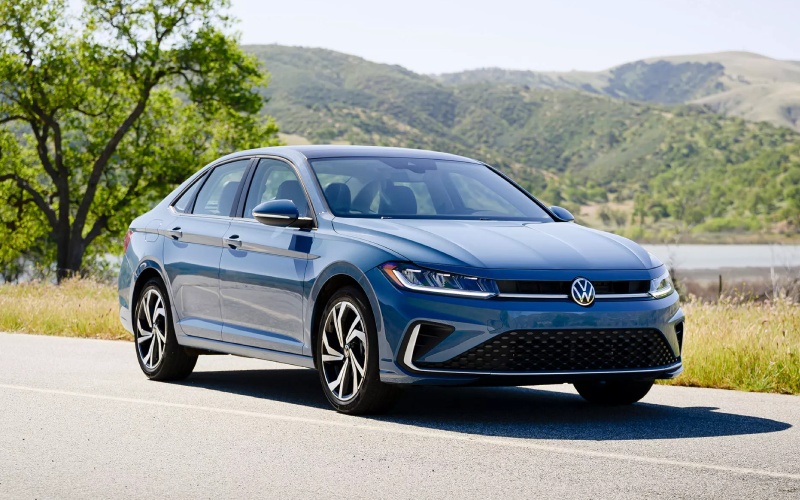
New Century Volkswagen – Mastering Digital Cockpit Pro in the 2026 Volkswagen Jetta for Los Angeles, CA Commutes
Rush-hour traffic on the 101 or 405 can test any driver’s patience, but the 2026 Volkswagen Jetta is built to make that time more productive and less stressful. One standout feature is the available 10.25-inch Digital Cockpit Pro, an advanced driver display that pulls navigation, audio, assistance data, and vehicle info into a crisp, configurable view right in front of you. Think of it as your Jetta’s command center—clear, customizable, and designed to reduce distraction by putting the essentials where your eyes already are.
Because Digital Cockpit Pro integrates cleanly with the rest of the Jetta’s technology suite, including Wireless App-Connect®, Travel Assist, and Emergency Assist, it has a way of simplifying multitasking. On a typical Los Angeles, CA commute, minute-by-minute clarity matters. With the right layout, you can see turn-by-turn directions, the next song in your queue, and IQ.DRIVE® status at a glance, freeing your central touchscreen for climate or quick settings. Below, we’ll walk through how to customize the display, pair it with your preferred navigation, and use it alongside the Jetta’s connected features to keep your drive smooth and confident.
Why Digital Cockpit Pro Elevates Daily Driving
Unlike a traditional gauge cluster, Digital Cockpit Pro is all about smart use of space. The layout adapts to you—map-forward for days when you’re hopping between neighborhoods, audio-forward for podcast marathons, or driver-assistance-forward when you want maximum insight into lane centering and following distance. Fonts are legible, icons are intuitive, and the display remains bright and clear even under California sun. The net effect is less hunting through menus and more attention where it belongs: on the road ahead.
Pair it with available Wireless App-Connect® and the cabin comes alive. Your apps, favorites, and playlists are right there with minimal tapping. Combine that with the available Wi-Fi Hotspot and an available wireless charging pad, and your phone can offload key tasks while staying topped up for the day. For busy professionals, students, and families balancing schedules across the city, that sort of integration quietly eliminates friction from every trip.
Dialing In Your Digital Cockpit Pro Views
Getting the most from the display comes down to a few easy customizations you can set once and enjoy every day. Start with a data layout that matches your priorities, then fine-tune what appears in each zone. If you often commute east-west across the city, try a full-width map with live guidance so you can anticipate exits and lane shifts earlier. If your route rarely changes, a compact map paired with driver-assistance readouts can be more useful. And if you manage calls or music while crawling on the 405, an audio-forward view reduces tapping and keeps you focused.
- Choose your primary layout: Select a map-centric, data-centric, or minimal view depending on your commute needs.
- Prioritize your widgets: Place navigation, audio, or assistance data in the most prominent zone for quick glances.
- Adjust display emphasis: Brightness, contrast, and icon density can be tailored to daytime glare or nighttime driving.
- Save a daily preset: Store your preferred view so it loads automatically when you start the car.
These small changes pay big dividends in heavy traffic. With fewer menu dives, your mind stays clearer, your hands stay steadier, and your awareness stretches farther ahead of your bumper.
Navigation, Shortcuts, and Voice Control
A well-set navigation setup can be the difference between a smooth arrival and a missed on-ramp. When available navigation routes to Digital Cockpit Pro, you’ll see upcoming turns and lane guidance framed by your speed and assistance cues—ideal for dense interchanges like the 110/10 or the 101/134. If you prefer third-party maps through Wireless App-Connect®, you can keep turn-by-turn directions prominent in your display while leaving the center screen free for climate or media.
Voice control is a natural companion here. Keep your hands on the wheel and request a route adjustment, call a contact, or switch playlists. The Jetta’s layout is designed so that even when you do need to tap, it’s brief and direct. Combine these tools with IQ.DRIVE® features such as Travel Assist for gentle lane centering and distance-keeping, and the entire drive feels more composed.
Bringing It All Together With Connected Services
Digital Cockpit Pro isn’t just about what you see—it’s about how all the Jetta’s systems work together to reduce your workload. The myVW app can help you prep before you leave—checking last parked location, confirming lock status, or using remote start on compatible models so the cabin is set to your preference when you arrive. While you drive, the available Wi-Fi Hotspot and Wireless App-Connect® make it easier to host a mobile workflow without cables cluttering your console.
Assistance features and the instrument display are tuned to inform without overwhelming. Status lanes, icons, and color cues help you interpret what Travel Assist and Emergency Assist are doing in a split second. It’s a calmer way to track the big picture—traffic flow, navigation, following distance—on city streets and freeways alike.
For many Los Angeles drivers, a sedan that streamlines the commute is as valuable as raw horsepower. The 2026 Jetta’s thoughtful execution does exactly that, and Digital Cockpit Pro is a key reason why. It’s quick to learn, simple to tailor, and steady under pressure, which explains why so many drivers end up making it their default view every time they start the car.
If you’re eager to see how Digital Cockpit Pro fits your daily drive, we can help you set up a personalized demonstration that reflects your real-world routes and multitasking needs. You’ll leave with a custom layout ready for your commute, plus tips for pairing navigation, voice control, and Wireless App-Connect® so everything stays one step ahead.
New Century Volkswagen is serving North Hollywood, Van Nuys, and Los Angeles with product specialists who know the technology inside and out and can tailor your Jetta’s setup to your exact preferences. Whether you’re optimizing for stop-and-go stretches on the 10, early starts downtown, or weekend cross-town trips, we’ll make sure your Digital Cockpit Pro becomes the simplest part of your day.
0 comment(s) so far on Mastering Digital Cockpit Pro in the 2026 Volkswagen Jetta for Los Angeles, CA Commutes